TOPS 1.0.7 · iPhone + iPad
Lighting, audio and OSC.
One cue list. One GO.
Show control for iPhone and iPad. Try it free with 25 cues and 64 DMX channels; Full is a one-time purchase.
 Free download · Full is a one-time purchase
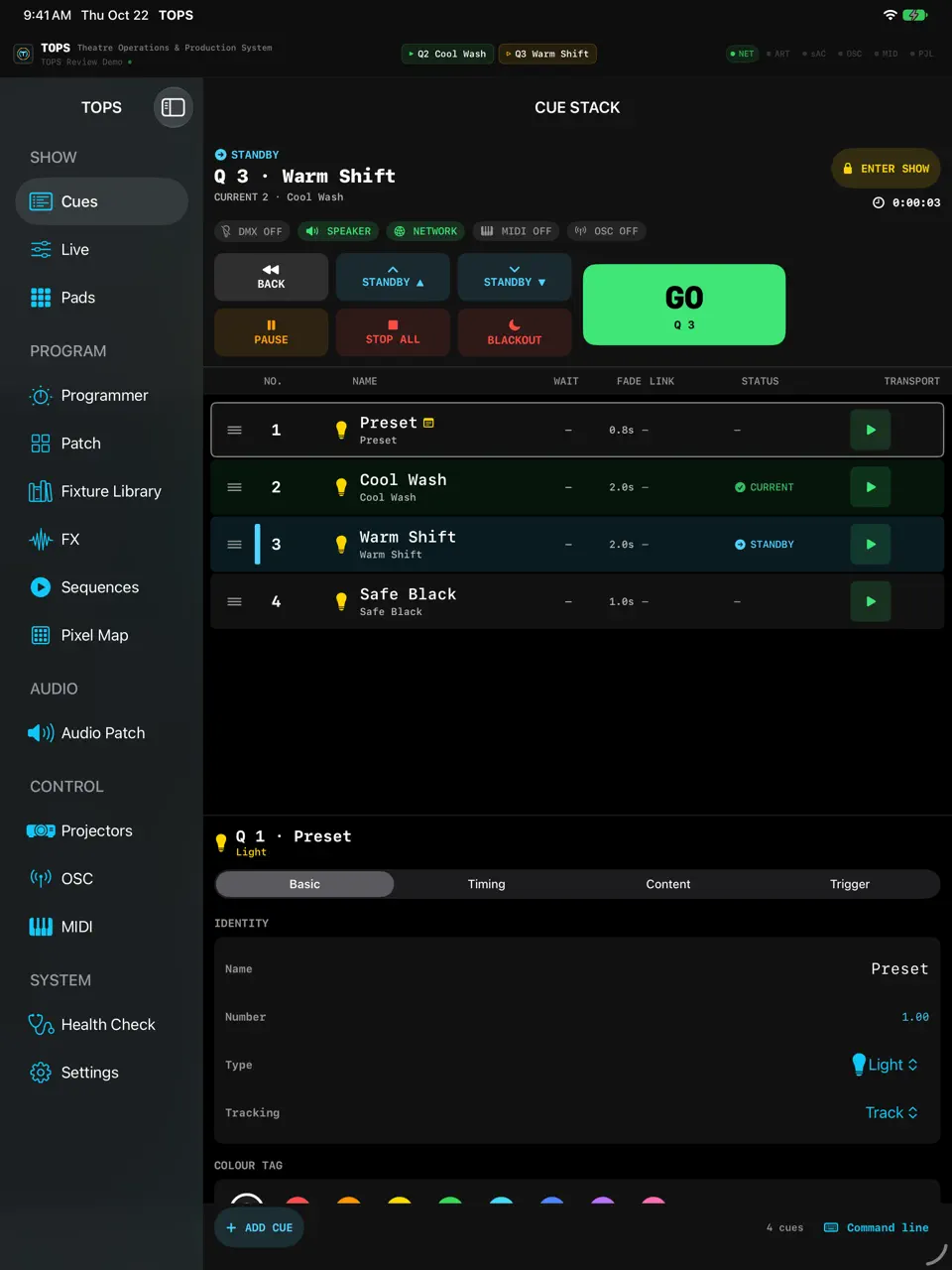
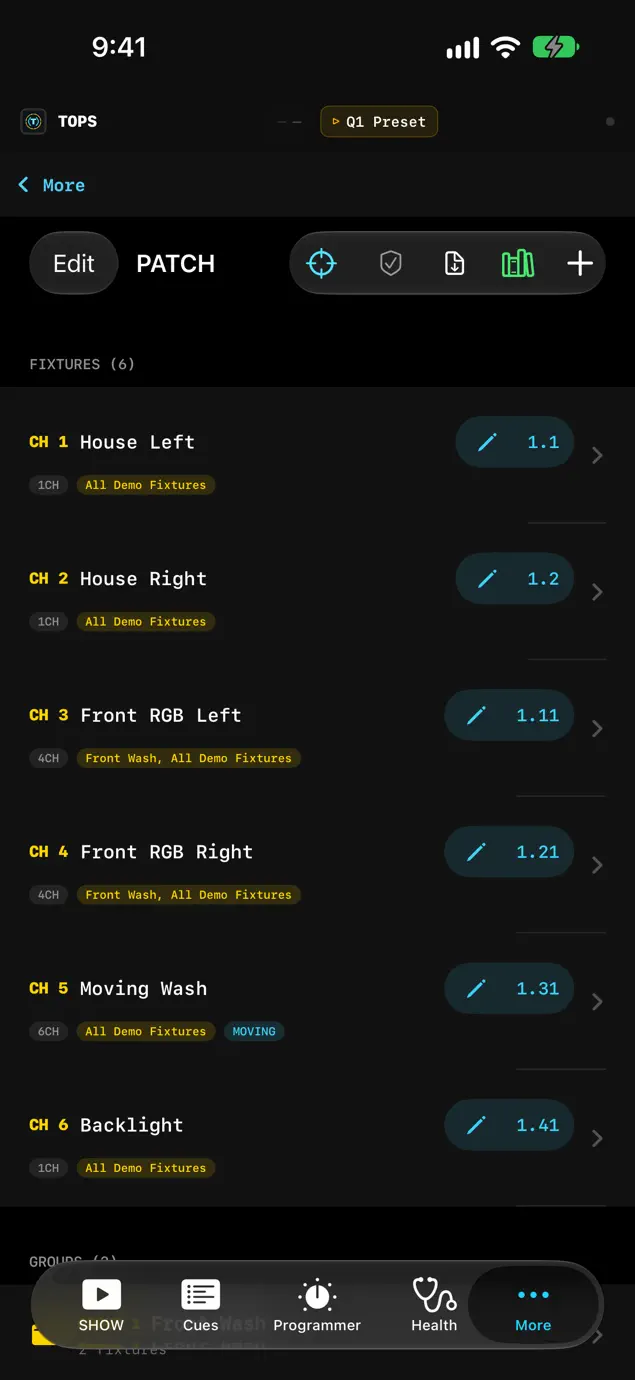
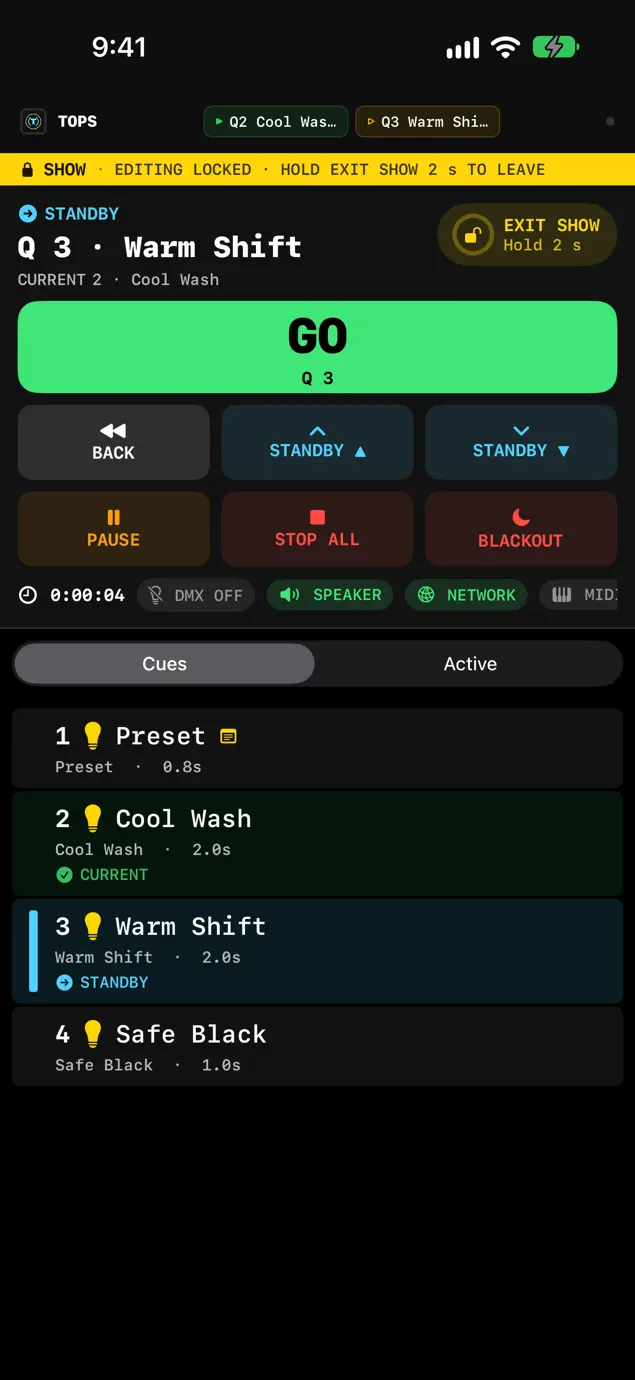
TOPS on screen
Official App Store screenshots, with a demo project.
New in 1.0.7
- TOPS reopens your last show at launch, with DMX and MIDI off. Settings > Project > OPEN lists the shows saved on your iPad or iPhone, and automatic cleanup no longer deletes any of them.
- Double-GO protection: choose the minimum time between two GOs in Settings (0.5 s by default). It covers the screen, the keyboard, MIDI and OSC, and a held key no longer repeats GO.
- Light Pads: a pad replaces the running cue or adds its lights on top without cutting its fade. Press the pad again to take its lights away.
- Live > DMX RAW: a channel editor with BACK and NEXT, and two buttons to write to the Programmer or to the cue. CLEAR releases what you set in the Programmer; REC CUE no longer moves STANDBY and also plays back channels outside the patch.
- SHOW mode: a Sequences tab to start, stop and drive a Sequence without leaving SHOW.
- MIDI no longer disconnects for Control Center or a notification: only when TOPS goes to the background, and it tells you. OSC output and its patches come back as you left them; OSC input stays off until you turn it on.
- STOP ALL cancels OSC commands still waiting for their delay, and PAUSE holds them. An OSC command that cannot be sent warns on the console.
- A value set by hand during a fade no longer snaps back, and deleting the current cue no longer restarts the list: GO continues with the next cue.
- Transport buttons no longer move when a notice appears or with BLACKOUT, and the command-line keypad fits in landscape. CUE 0 in Live asks for confirmation, and Export says the file does not include audio.
TOPS — Theatre Operations & Production System — is show control for iPhone and iPad: lighting, audio and control cues in one cue list, run with one GO.
One cue list
- Light, Audio Play, OSC, Wait and control cues share one list, with numbers, notes, color tags and WAIT/FOLLOW links.
- Run the show with GO, BACK, STOP, pause and fades, with double-GO protection. The next cue is always marked STANDBY, and moving STANDBY never runs a cue.
- Play, pause or stop any cue from its row. STOP ALL and blackout are always at hand.
Show mode and health check
- Before the performance, Show Health Check reviews audio files and routes, patch, cues and Sequences, network destinations, projectors, battery and storage, and points to what needs attention.
- SHOW mode locks editing so only operation remains on screen, with Sequences at hand. To leave it, hold the exit control for two seconds; no code is needed.
Lighting
- Patch fixtures by universe and address. Use the offline library, with community profiles from the Open Fixture Library, create custom profiles, and import GDTF or Open Fixture Library files; TOPS shows what it understood from each mode and what it does not control.
- Prepare values in Programmer and store groups, memories and palettes. Build Sequences, apply FX and trigger actions from Pads.
- Send DMX over Art-Net or sACN E1.31 to compatible receivers on your local network. TOPS Full adds broadcast and multicast.
Audio
Import audio from Files and create play, pause, resume, stop and fade cues. Adjust level, looping and start offset. TOPS Full adds multichannel output routing, speaker maps and Audio Move cues that move a source between available outputs. Channel availability and latency depend on the interface and the audio route exposed by iOS or iPadOS.
External control
Send OSC to other show systems, such as media servers. With TOPS Full, use MIDI Learn to assign MIDI Note and Control Change messages to GO, STOP, masters and Pads, receive OSC remote control, and control projectors over PJLink. Ableton Link synchronizes tempo and phase with other devices on the network; it does not transmit audio or start or stop remote playback. Settings > Compatibility lists the protocols TOPS implements and the hardware tested.
Free and full, pay once
TOPS is free to download. TOPS Free is for learning and small tests: up to 25 cues and one Sequence, 64 DMX channels in one universe over Art-Net or sACN unicast, Audio Play cues on the stereo output, sending OSC cues and Ableton Link. SHOW mode, Show Health Check, STOP ALL, blackout, autosave and recovery are always included.
TOPS Full is a one-time purchase. It adds unlimited cues and Sequences, complete DMX universes (512 channels) and multiple DMX universes, Art-Net broadcast and sACN multicast, MIDI Learn and OSC remote control, multichannel audio with per-output routing, spatial audio and Audio Move, Pixel Map, and projector control over PJLink. The price is shown before you confirm.
Open Settings > TOPS Full to buy, restore purchases or redeem Apple offer codes. If you redeem a valid code while TOPS is closed or in the background, access updates when you return to the app.
Local projects and privacy
At launch, TOPS reopens your last show, with DMX and MIDI off. Work without a TOPS account, ads, publisher analytics or tracking. Import and export projects through Files. The .lightpad format preserves configuration and references but does not include audio files: keep the originals too. OSC passcodes and PJLink passwords stay in the local Keychain without syncing or export.
Before the performance
Explore TOPS with Review Demo, without buying Full or connecting equipment. Keep the app open and active for continuous network control; iOS may suspend it in the background.
Check the patch, files, audio routes, connections and recovery with your actual setup before every performance. TOPS is not an emergency control and must not be the sole control for safety-critical systems. Compatibility with third-party protocols and profiles does not imply certification or endorsement by their manufacturers.
Questions and answers
What is TOPS?
TOPS stands for Theatre Operations & Production System. It is a show control app for iPhone and iPad that combines lighting, audio and OSC cues in one list, operated with GO.
What does TOPS Free include?
Up to 25 cues, one Sequence and 64 DMX channels in one universe over Art-Net or sACN unicast, stereo Audio Play, sending OSC cues and Ableton Link. SHOW, Health Check, STOP ALL, blackout, saving and recovery are always included.
How do I buy TOPS Full?
Full is a one-time in-app purchase. Open Settings > TOPS Full to buy, restore purchases or redeem Apple offer codes. Apple shows the price before confirmation.
Do I need an account or Internet access?
No TOPS account is required. Projects are local. Art-Net, sACN and OSC control require a local network; buying or restoring Full requires access to Apple services.
Does a project include its audio files?
No. The .lightpad file stores configuration and references. Keep the original audio files too and check them when moving the project.
What does Ableton Link do?
It synchronizes tempo and phase with other participants on the network. It does not transmit audio or start or stop remote playback.
Will DMX keep running in the background?
Keep TOPS open and active for continuous control. iOS and iPadOS may suspend networking in the background. Test recovery and routes with your actual equipment before the performance.
Does moving STANDBY run a cue?
No. STANDBY identifies the next cue GO will execute. Moving it prepares the next execution without triggering lighting, audio or OSC.
What does SHOW do and how do I leave it?
SHOW locks editing while keeping operation controls available. Hold the exit control for two seconds to leave; no code is required. SHOW and Show Health Check are included in Free too.
What does Show Health Check review?
It reviews audio files and routes, patch, cues, Sequences, network destinations, projectors, battery and storage. Its findings help prepare a show; check the physical setup as well.
Do I need a DMX interface?
TOPS sends Art-Net or sACN over the local network. Fixtures receiving physical DMX need a compatible receiver or node and a patch matching the fixtures.
Can I import GDTF and Open Fixture Library profiles?
Yes. TOPS includes an offline library with OFL profiles, supports custom profiles and imports GDTF or OFL files. Review interpreted and unsupported attributes against the fixture’s DMX chart.
How can I use more than two audio outputs?
TOPS Full supports multichannel routing, speaker maps and Audio Move. You need an interface and an iOS or iPadOS audio route exposing those outputs; a speaker map does not create additional physical channels.
Read the full operating manual
UNQUINTO · Updated 14 November 2026 · developer@unquinto.es