Free QLab control. Console control and editing when you need them.
Bring QLab, Eos, and grandMA3 to your phone or tablet during fit-up, focus, and rehearsal. Escenio uses OSC on your local network, opens connections in read mode, and makes control a deliberate action.
iPhone · iPad · Android · Español · English


What is free and what you buy
| Feature | Access |
|---|---|
| QLab: GO, STOP, pause, lists, Carts, and Load to Time | Free |
| Eos and grandMA3 read mode | Free |
| QLab 5 Editing: cues, audio, video, and lighting | One-time purchase |
| Eos control | One-time purchase |
| grandMA3 control | One-time purchase |
| Full: Eos + grandMA3 + QLab Editing | One-time purchase |
QLab control is free
GO, STOP, PAUSE, RESUME, and PANIC; Cue Lists and Carts, playhead, timings, playback status, and Load to Time. Work with QLab 5 and QLab 4 alongside your console. The show and media play on the Mac.
QLab 5 Editing
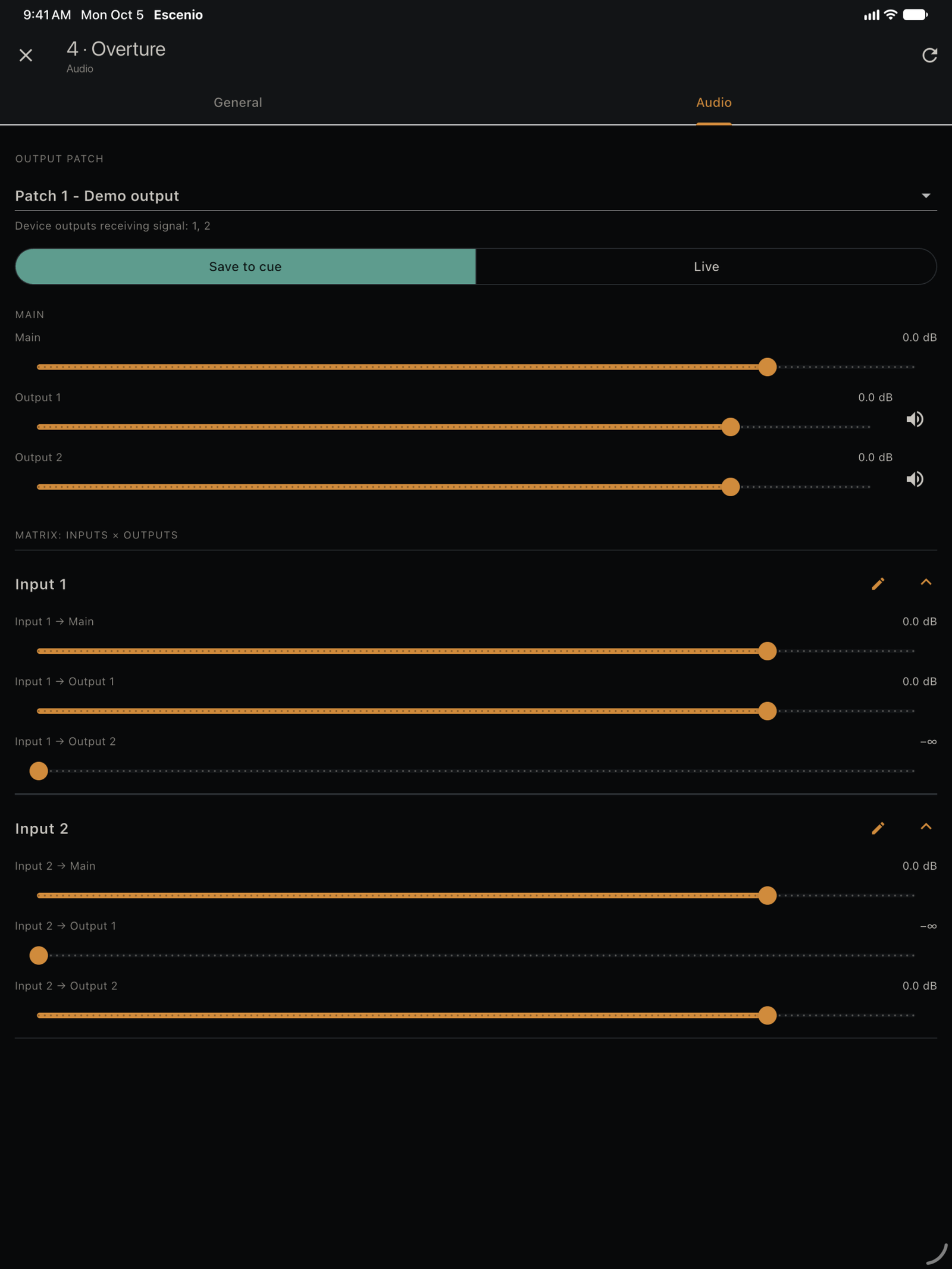
QLab Editing lets you change cue names, numbers, notes, colors, and timings; adjust audio levels, channels, and routing matrices; set video stage, position, scale, rotation, and opacity; edit light commands and work with the Light Dashboard. Escenio reads each change back from QLab to show what was applied.
It needs workspace permissions and does not replace the Mac's QLab license. Video is represented by a diagram, without a preview. The Dashboard shows the last levels sent from Escenio, rather than continuously reading actual levels.
Editing requires QLab 5 and Edit permission; playback can use QLab 4. Available features and outputs also depend on the QLab license and configuration on the Mac.
New on Android: stages and video adjustment
The current Android edition adds stage regions, corner or mesh warping, grids and guides, cue crop and blend mode, and coarse/fine adjustment. These additions are not part of Escenio 1.1.0 for iOS; the shared editing features are available on both platforms.
Eos and grandMA3, with your console
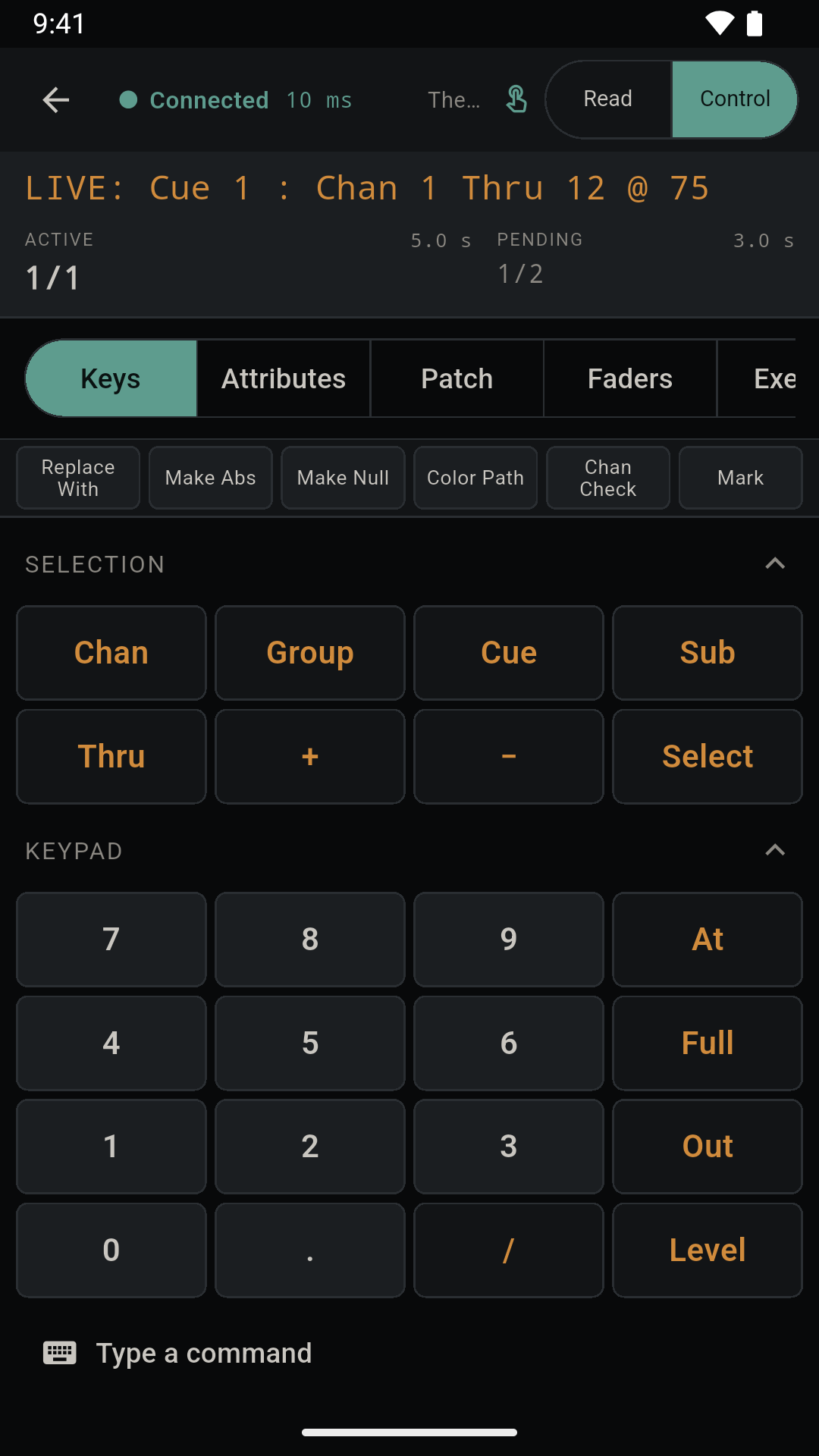
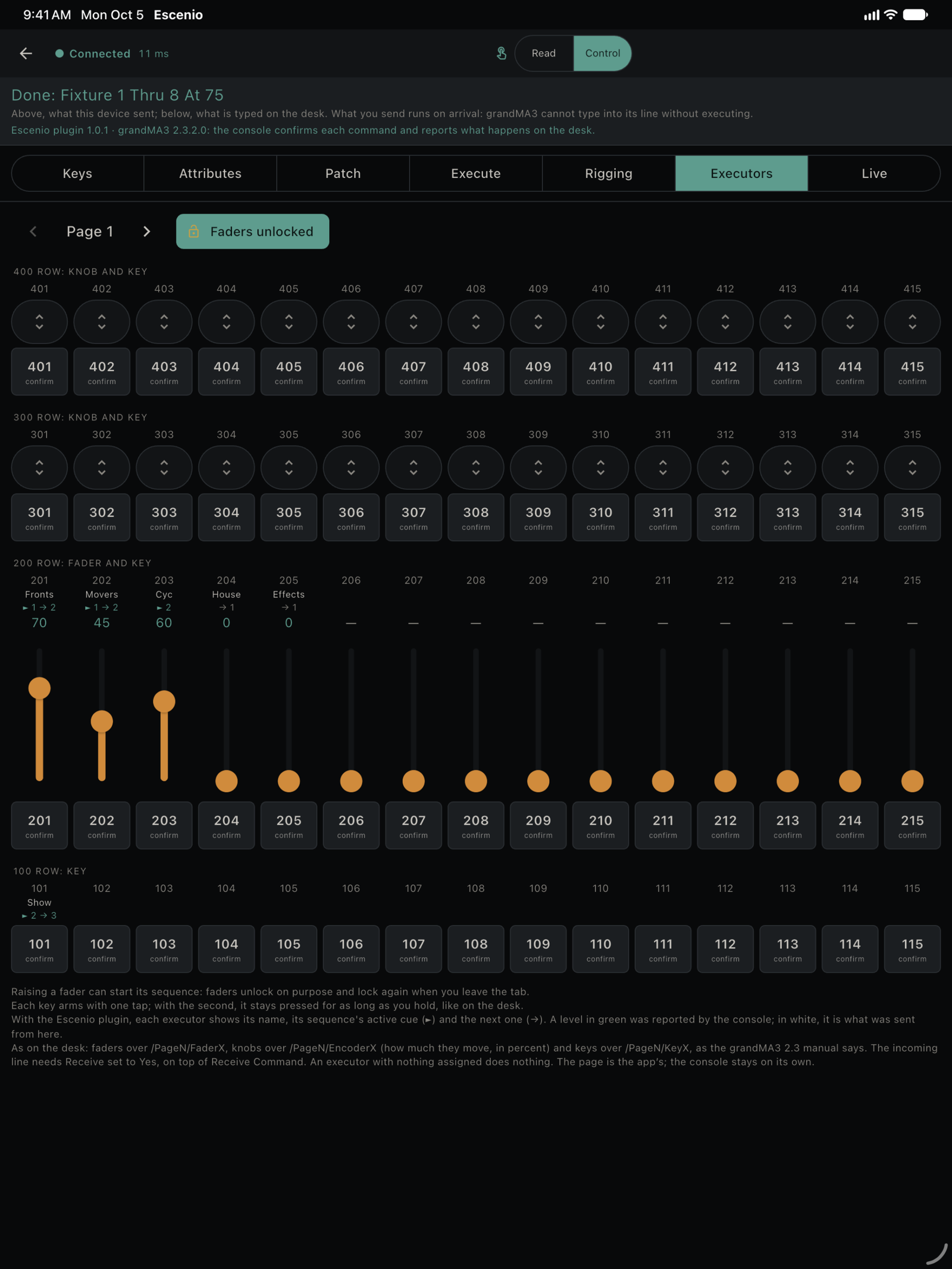
Connect free in read mode. Their one-time purchases enable command line, rigging, attributes and focus, patching, and playback. On grandMA3, the optional Escenio plugin adds command confirmation, selection, patch, and executors with active and next cues. Check OSC configuration and your setup before rehearsal.
One-time purchases, no subscription
Buy Eos, grandMA3, and QLab Editing separately or together in the Full version. Owning Eos and grandMA3 separately also grants QLab Editing. Earlier purchases are preserved; the store shows the price before confirmation. Try the demo without equipment, restore purchases, or redeem codes from the purchase sheet.
Escenio on screen
Interface screenshots with demo data. Select an image to enlarge it.
Prepare the connection
Allow local-network access and configure device addresses and OSC ports. Connect in read mode, then enable Control and the required arming when you are ready to operate. Try the demo without equipment and rehearse commands with your setup before the show.
No Escenio account or production cloud. Configure your connections and keep console and Mac controls accessible. Escenio is not affiliated with or sponsored by ETC, MA Lighting, or Figure 53.
Connection, permissions, and purchase restoration · Privacy policy
UNQUINTO · Updated · developer@unquinto.es